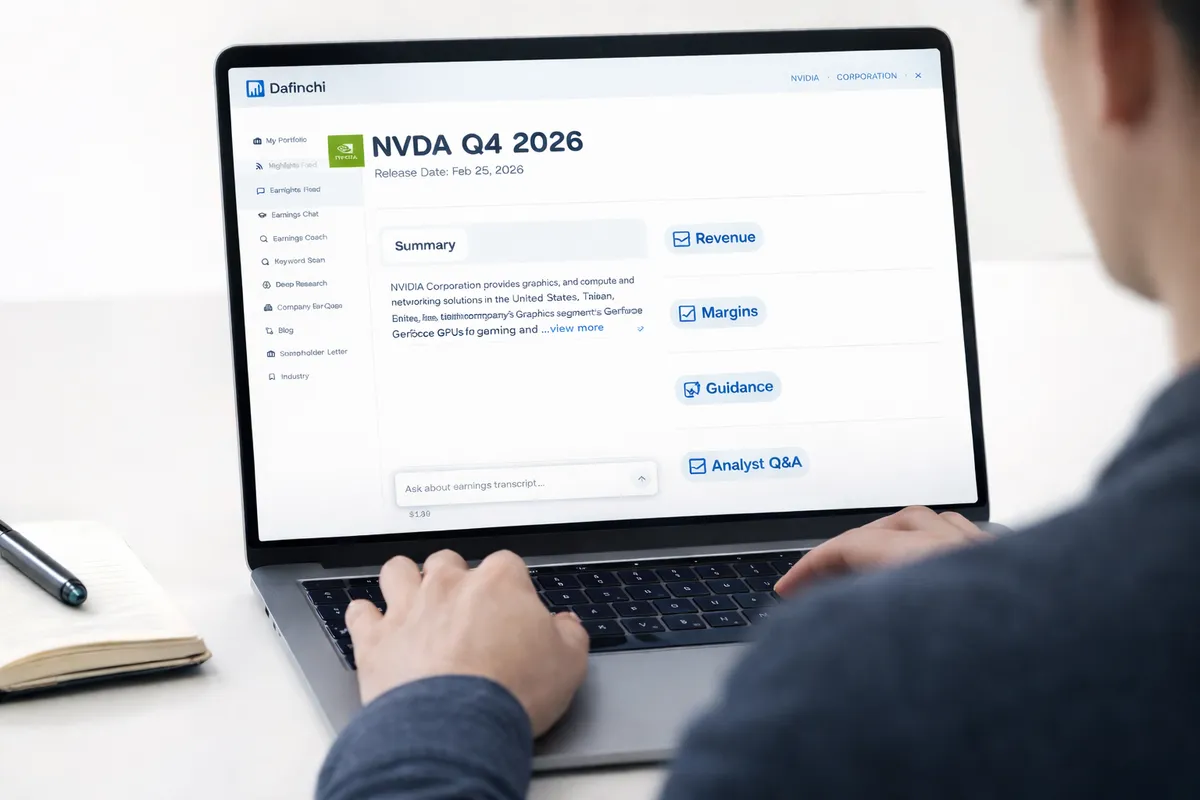
Dafinchi
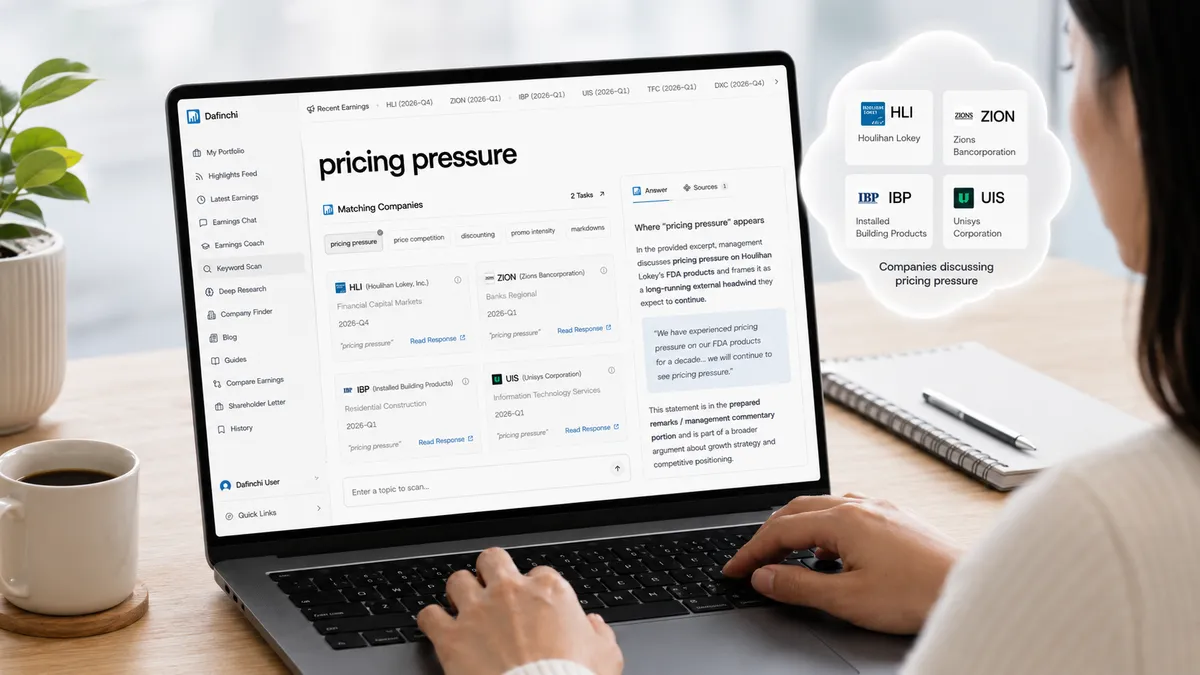
Earnings call transcripts are packed with useful signals.
Management teams explain what is changing in their business. Analysts ask about risks, margins, demand, guidance, pricing, competition, capex, AI, tariffs, supply chain issues, and dozens of other topics that matter to investors.
The information is available. The problem is that it is buried across long transcripts from many companies.
If you are researching a specific company, reading one earnings call may be manageable. But if you want to know which companies are talking about a broader topic — for example AI adoption, tariff pressure, gross margins, consumer demand, or China exposure — the manual workflow becomes slow very quickly.
You would need to open transcript after transcript, search inside each one, read the surrounding context, and keep track of which companies actually had meaningful commentary.
That is where Dafinchi's Keyword Scan feature helps.
Keyword Scan lets you start with a keyword or short topic phrase and find earnings transcripts where that topic appears.
Tip: Keyword Scan works best with short phrases, not full questions. Use
AI scalinginstead ofWhich companies are discussing AI scaling?
What Is Keyword Scan?

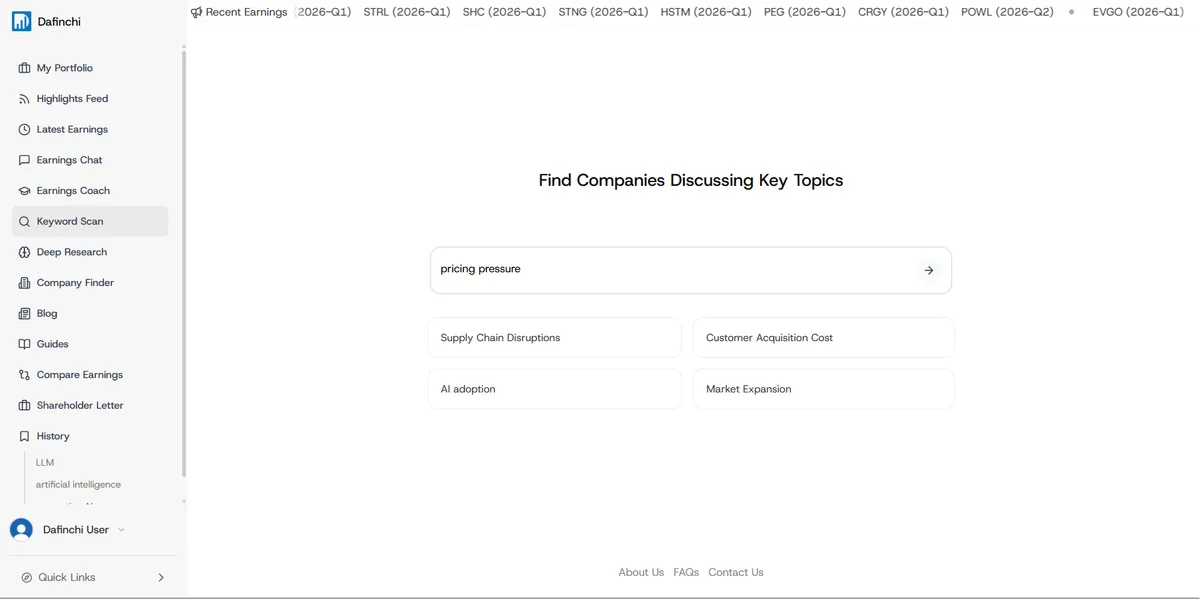
Keyword Scan is a Dafinchi feature that helps you search earnings calls by keyword, topic, product name, risk, metric, or market theme.
You can use it to look for terms like AI, tariffs, gross margin, pricing pressure, supply chain, free cash flow, Blackwell, Gemini, etc.
Instead of reading dozens of transcripts manually, you can search for the topic directly and find relevant earnings transcript cards where that topic appears.
Each card shows the company and earnings call period, helping you quickly decide which calls are worth reviewing. From there, you can click Read Response button to see how the keyword or topic was mentioned in that specific transcript.


This makes Keyword Scan useful for theme discovery, company screening, and faster earnings research.
Why This Matters
Most investors and researchers do not only care about one company in isolation.
They often care about a theme.
For example:
Are software companies still talking about AI monetization?
Are retailers seeing weaker consumer demand?
Are industrial companies mentioning tariff pressure?
Are semiconductor companies discussing inventory recovery?
Are cloud companies increasing capex?
Are banks talking about credit risk or deposit pressure?
These questions are hard to answer by reading one transcript at a time.
A traditional workflow might look like this:
Pick a company.
Open its latest earnings transcript.
Search for a keyword.
Read the surrounding section.
Repeat for another company.
Repeat again.
Keep manual notes.
Try to remember which commentary was actually important.
That workflow is slow and easy to miss things.
Keyword Scan changes the starting point. You do not need to begin with a company. You can begin with the theme itself.
Example 1: Searching for AI Commentary
Suppose you want to understand how companies are talking about AI.
A generic search for “AI” across the web can be noisy. You may get news articles, marketing pages, opinion pieces, or old commentary. But earnings calls are different because they show what management is saying directly to investors.
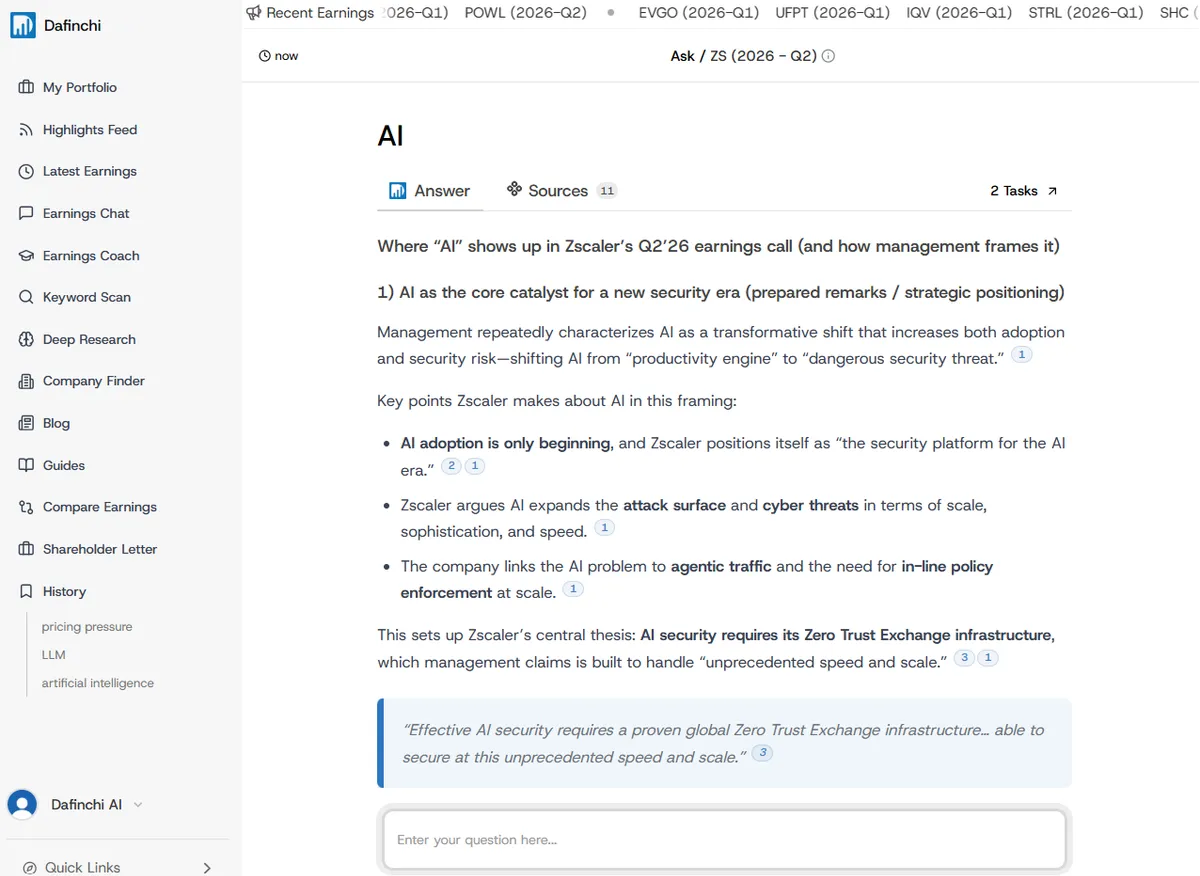
With Keyword Scan, you can search for AI and find earnings transcript cards where AI appears.

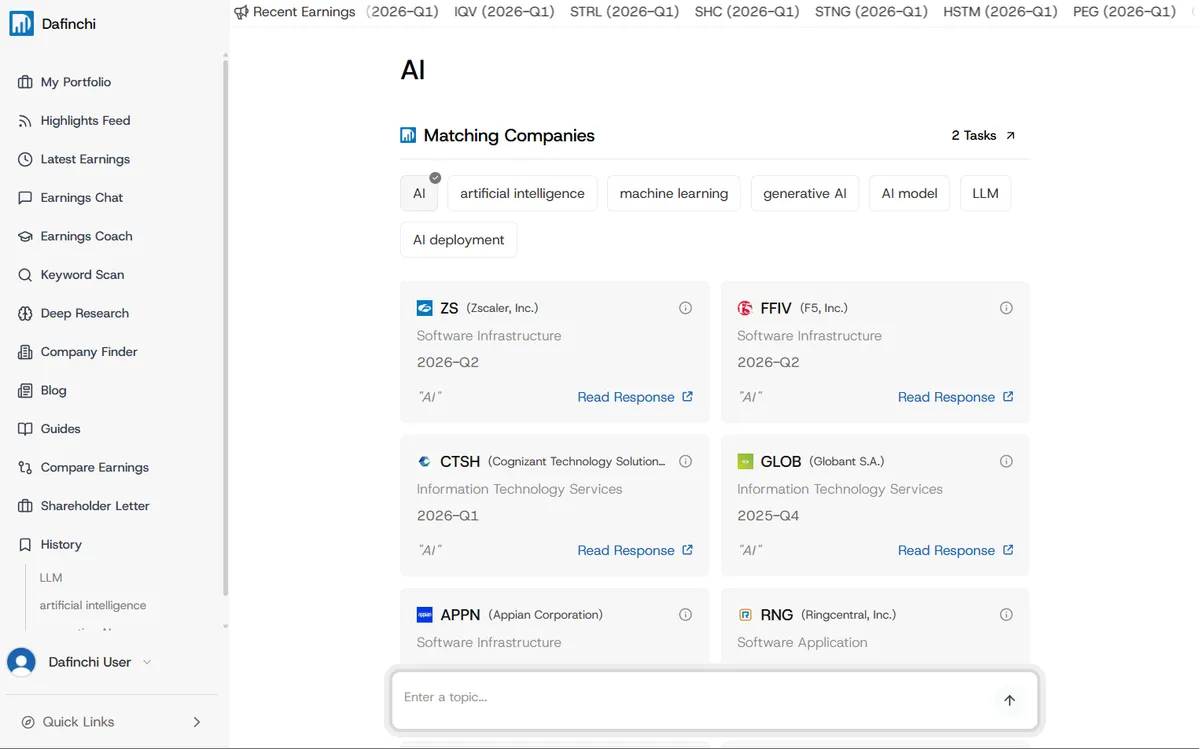
From there, you can click Read Response on a relevant card to understand how AI was mentioned in that earnings call:
Was AI mentioned as a real revenue driver?
Was it discussed as a cost-saving tool?
Was management talking about AI infrastructure spending?
Did analysts ask follow-up questions?
Was the discussion specific, or was it vague buzzword language?
This is important because not every AI mention has the same value.
A company briefly saying “we are investing in AI” is different from a company explaining how AI is affecting product adoption, customer demand, margins, productivity, or capex.
Keyword Scan helps you find the relevant transcript cards. Read Response then helps you understand how the topic was discussed in each specific earnings call, so you can judge whether the mention was meaningful.

Example 2: Searching for Tariff Exposure
Tariffs are another good use case.
A company may not show tariff impact clearly in one headline number. The signal often appears in management commentary around sourcing, pricing, costs, suppliers, inventory, or margins.
With Keyword Scan, you can search for terms such as tariffs, trade policy, cost pressure, supply chain, etc.
Here is a example that you can follow along:
Search: tariff pressure
Review cards from retailers, industrials, and consumer companies.
Open responses where management discusses sourcing, pricing actions, or gross margin impact.
Then ask follow-up questions like:
“Did management quantify the tariff impact?”
“Did they say pricing actions were enough to offset the pressure?”
This can help you find companies that are discussing tariff-related pressure in earnings calls.
Example 3: Searching for Margin Pressure
Margin pressure is one of the most useful themes to track in earnings calls.
Companies may explain margin changes through input costs, labor costs, discounting, pricing, product mix, freight costs, currency, scale, restructuring, utilization, AI infrastructure spending, sales and marketing efficiency, etc.
Keyword Scan vs Reading Transcripts Manually

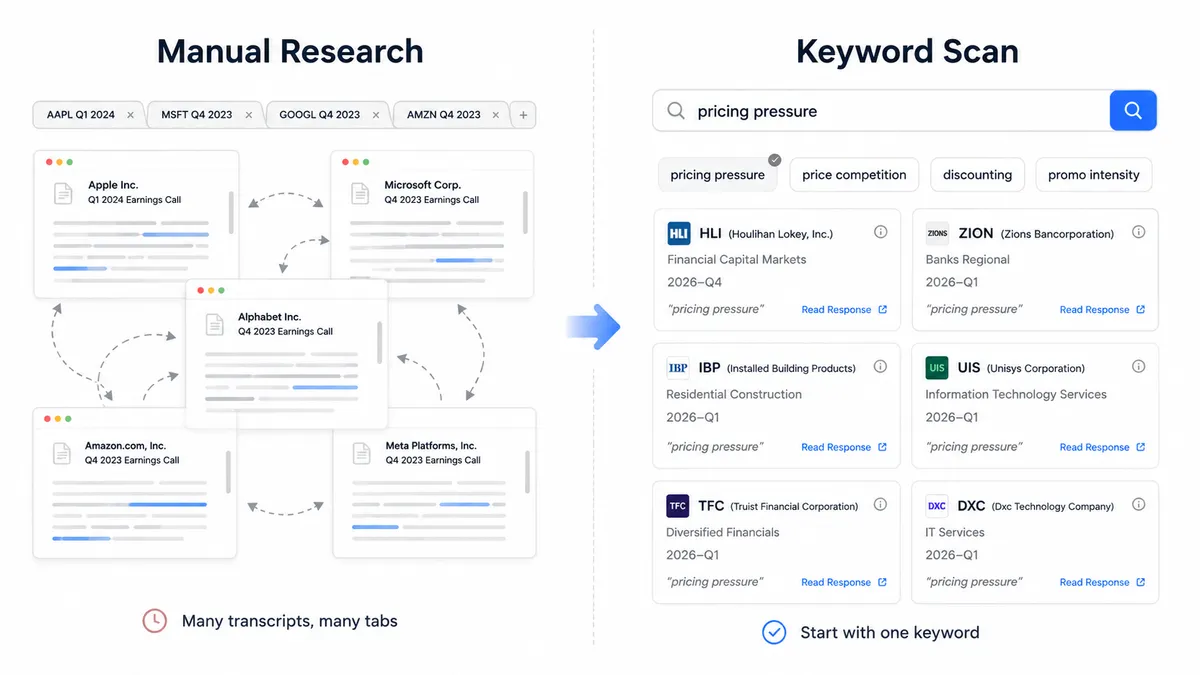
Manual transcript research is useful, but it does not scale well.
If you already know the exact company and quarter you care about, reading that transcript or asking questions about that transcript can work well.
But if your starting point is a theme, manual research becomes inefficient.
Keyword Scan is useful when you are asking questions like:
Which companies mentioned this topic?
Where is this theme showing up?
Which earnings calls should I review first?
Is this issue isolated, or are multiple companies talking about it?
What did management actually say?
The goal is not just to count keyword mentions.
The goal is to find relevant earnings calls faster and quickly understand how the topic was mentioned in each transcript.
How Keyword Scan Fits Into a Research Workflow

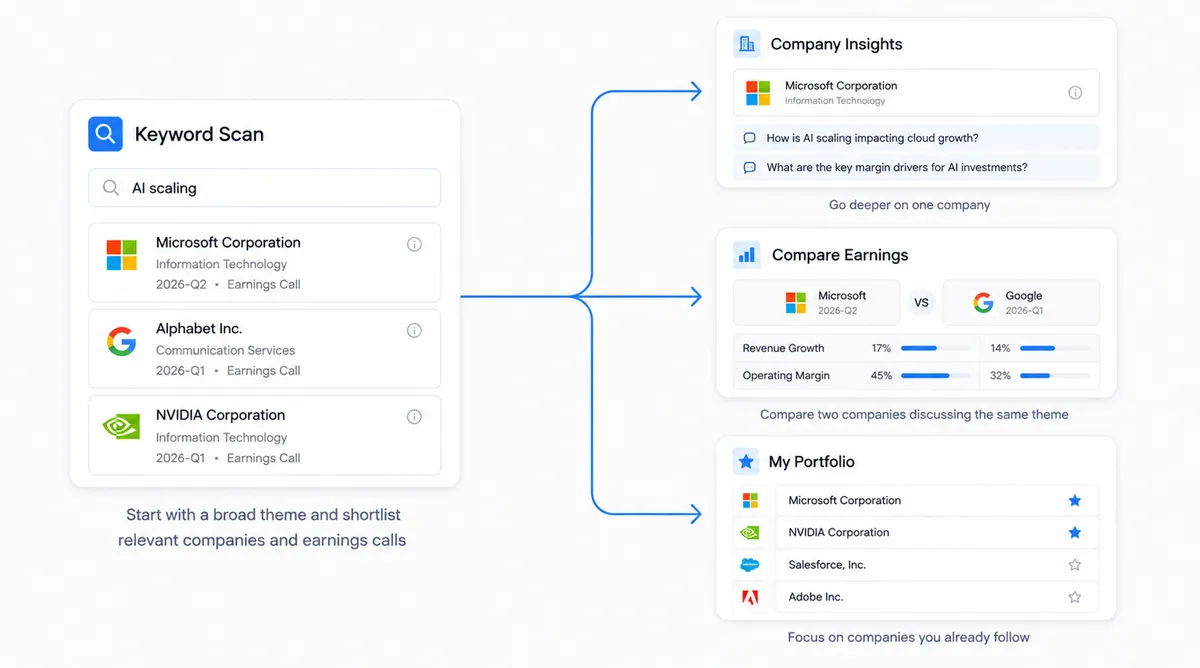
Keyword Scan is usually an early research step.
It helps you move from a broad theme to a shortlist of companies and earnings calls worth reviewing.
For example, if you search for AI scaling, Keyword Scan can help you find transcript cards where that topic appears. After that, the next step depends on what you want to learn.
You can use Earnings Chat, Compare companies or My Portfolio to further.
A Practical Keyword Scan Workflow
Here is a simple workflow you can use.
Step 1: Start With a Keyword or Short Topic Phrase
Choose the keyword or short phrase you care about. Keyword Scan is designed for inputs like “AI scaling” or “margin pressure,” not full questions like “Which companies are discussing AI scaling?”
Examples:
AI monetization
tariffs
margin pressure
capex
cost cutting
Try to choose a term that is specific enough to be useful.
For example, “AI” may return broad results. “AI monetization” or “AI capex” may help you narrow the focus depending on what you are researching.
Step 2: Scan for Relevant Earnings Transcript Cards

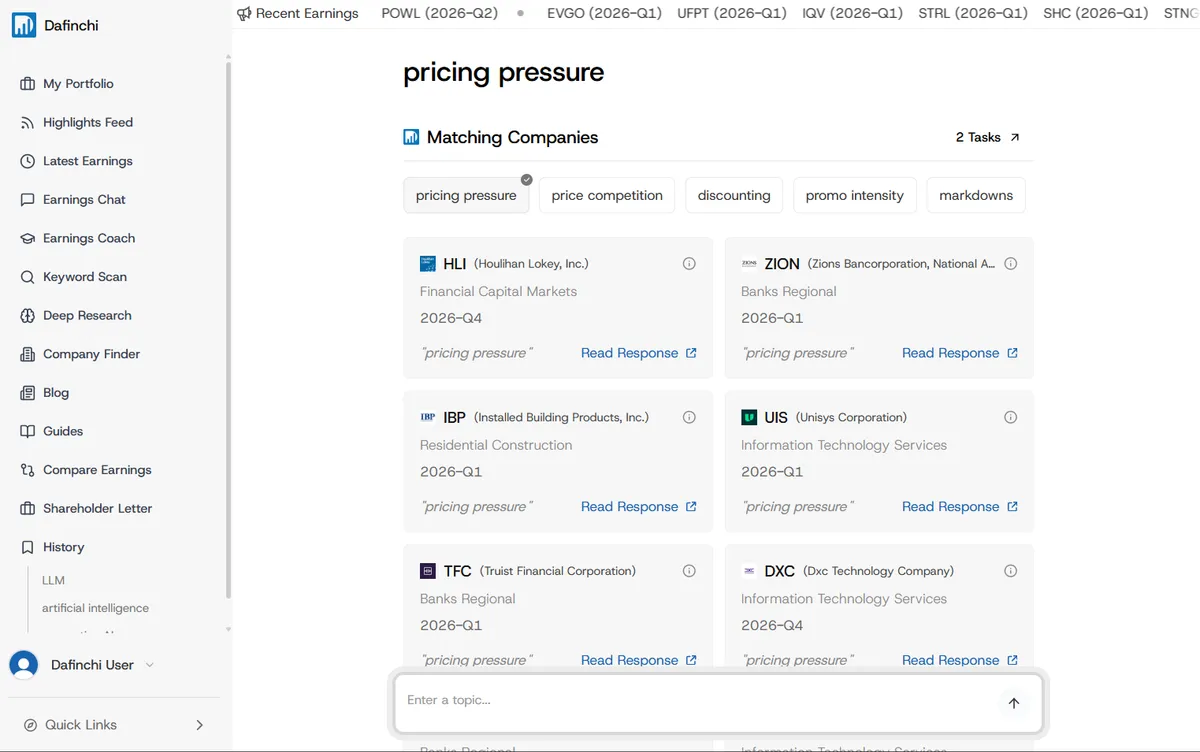
Use Keyword Scan to find earnings transcript cards where the keyword or topic phrase appears.
At this stage, you are not trying to complete the full analysis. You are trying to build a shortlist of companies and earnings calls worth reviewing.
Ask yourself:
Which companies are showing up?
Which reporting periods are relevant?
Does the topic appear across one sector or many sectors?
Are the matches likely to contain useful context?
Step 3: Read How the Topic Was Mentioned
A keyword match is only the beginning.
Use Read Response on the most relevant transcript cards to see how the topic was mentioned in that earnings call.
This is where you separate meaningful commentary from casual mentions.
For example, a company may mention AI once in a generic statement. Another company may discuss AI across product strategy, infrastructure spending, customer demand, and margin impact.
Those are not the same signal.
Step 4: Verify With Transcript Context
After reading the response, inspect the transcript context when needed.
This is especially important when researching investment-related topics. A single keyword mention can be misleading without the surrounding transcript section.
Look for:
who said it,
whether it came from prepared remarks or Q&A,
whether analysts pushed on the topic,
whether management gave numbers,
whether the commentary was specific or vague,
whether the topic was framed as an opportunity or risk.
Dafinchi’s source-backed workflow helps you verify what was actually said in the earnings call.
Step 5: Go Deeper With Follow-Up Questions
After finding relevant companies or calls and reading the response, use Dafinchi to ask deeper questions.
For example:
What did management say about AI monetization?
Did analysts ask about margin pressure?
What risks did management mention related to tariffs?
Did the company quantify the impact of this issue?
How has this topic changed compared with the previous quarter?
Which companies discussed this topic most specifically?
This turns Keyword Scan from a search feature into the beginning of a research workflow.
Good Keywords to Try
Here are some useful starting points.
AI and technology: AI, generative AI, automation, cloud, GPU, data center, capex, inference
Margins and profitability: gross margin, operating margin, margin pressure, pricing, discounting, cost inflation, productivity, restructuring
Demand and growth: demand, consumer weakness, backlog, pipeline, retention, enterprise demand
Macro and risk: tariffs, supply chain, FX, credit risk, labor costs
Strategy and capital allocation: capex, free cash flow, buybacks, dividends, cost cutting, expansion
What Keyword Scan Is Not
Keyword Scan is a discovery tool, not a conclusion engine. A result means the topic was found in the earnings call context. It does not automatically mean the topic was material, positive, negative, or investment-relevant. Use the response and transcript context to verify what management actually said.
Keyword Scan helps you find the right earnings calls faster. The next step is to read the response for each relevant card and, when needed, ask deeper questions about the actual transcript context.
Why Source-Backed Search Matters

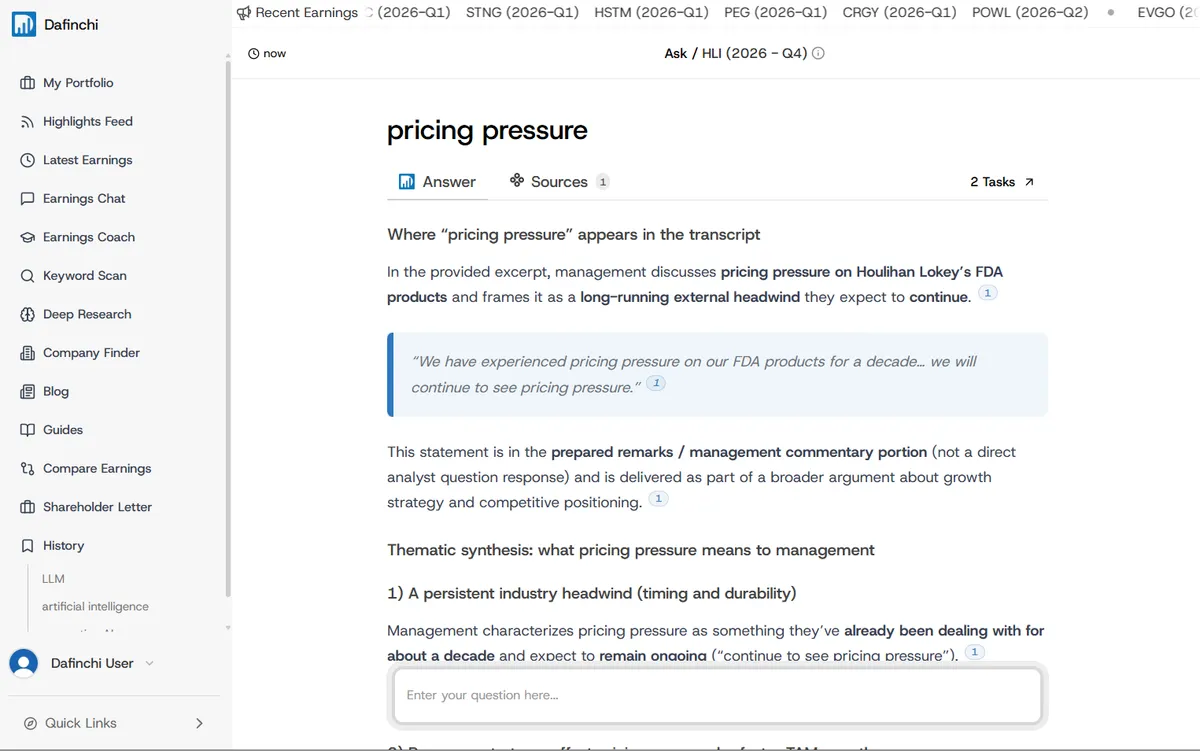
AI can make research faster, but financial research needs verification.
If an answer says a company discussed AI, tariffs, margin pressure, or demand weakness, you should be able to check the source.
That is why Keyword Scan is most useful when paired with transcript context.
The best workflow is:
Search a keyword or short topic phrase → find relevant transcript cards → read how the topic was mentioned → inspect transcript evidence → ask follow-up questions.
This keeps the workflow fast without losing trust in the underlying source.
Who Should Use Keyword Scan?
Keyword Scan can be useful for:
individual investors tracking market themes,
analysts screening companies by topic,
students learning how businesses discuss risks and strategy,
writers researching earnings commentary,
operators studying competitors,
anyone who wants to search earnings calls without manually opening every transcript.
It is especially useful during earnings season, when many companies report within a short period and it becomes difficult to keep up manually.
Final Thought
Earnings calls are one of the best places to understand what management is saying directly to investors.
But the most useful signal is often spread across many transcripts.
Dafinchi Keyword Scan helps you start with the topic you care about, find earnings transcript cards where that topic appears, and then read how the topic was mentioned in each transcript.
Instead of asking:
Which transcript should I open first?
You can start with:
What topic am I trying to understand?
Then use Keyword Scan to find the company transcript cards worth reviewing next.
Try Keyword Scan with a phrase like AI capex, tariff pressure, or gross margin